 InvoiceHop
Dropbox, OneDrive and S3 backup
Keep a copy of every document in Dropbox, OneDrive or your own S3 bucket.
Besides Google Drive, InvoiceHop can save every issued invoice and credit note to Dropbox, OneDrive or an S3 bucket, sorted by year and month. Find them in Settings → Integrations. You can connect several at once.
- Dropbox and OneDrive (personal or Microsoft 365): click Connect and sign in. InvoiceHop only sees its own folder,
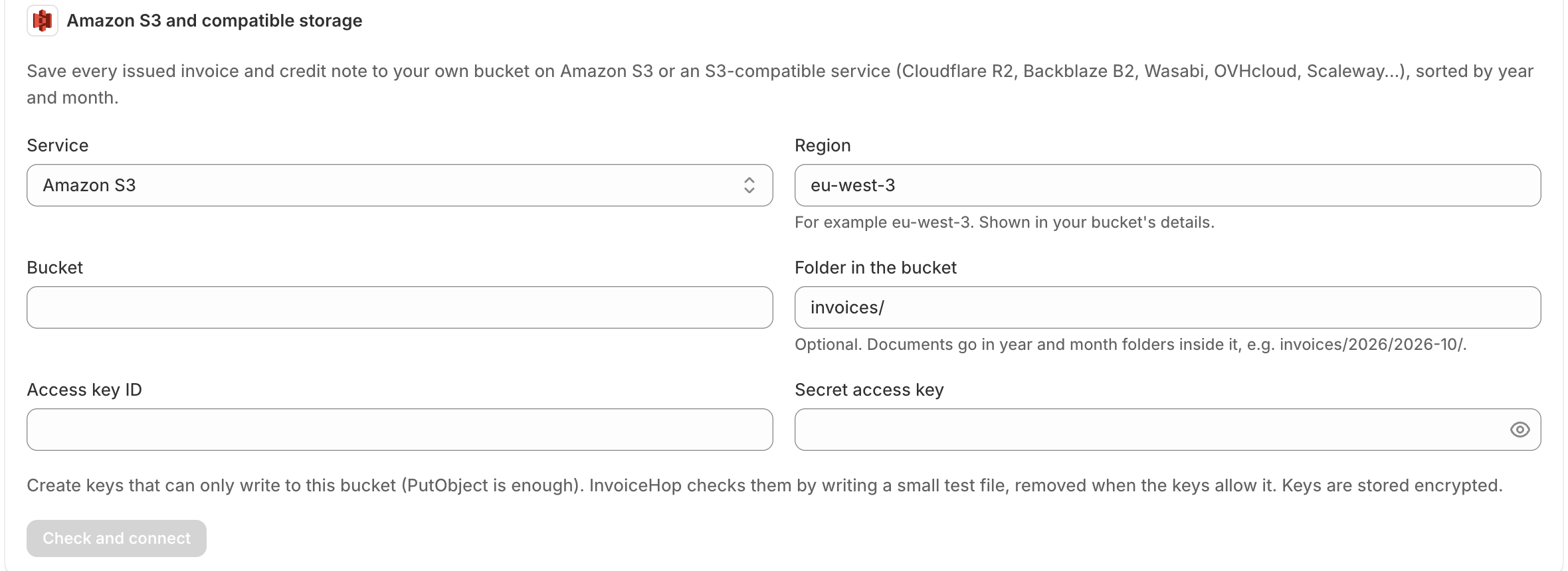
Apps/InvoiceHop. - Amazon S3 and compatible storage (Cloudflare R2, Backblaze B2, Wasabi, OVHcloud, Scaleway or any S3-compatible service): choose the service, enter the region, bucket and access keys. Create keys that can only write to that bucket. InvoiceHop checks them with a small test file before saving them.
Turn on automatic saving for each service, use Save existing documents for documents issued before, or save documents one by one or in bulk from the Invoices page.